


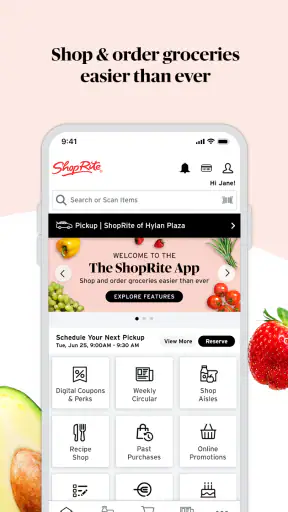
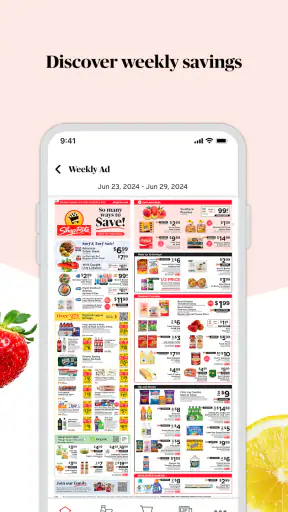
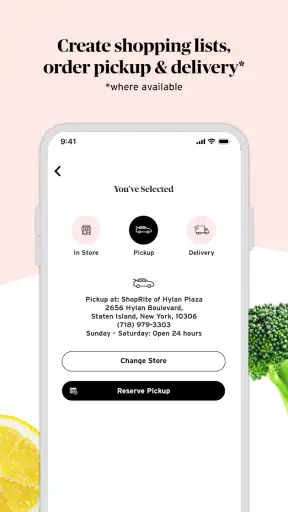

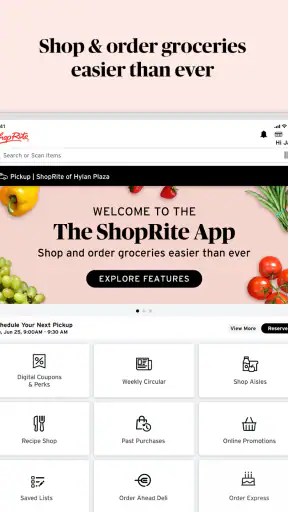
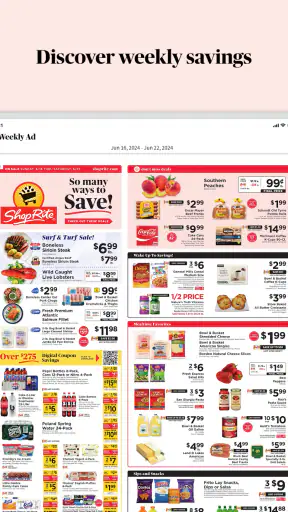
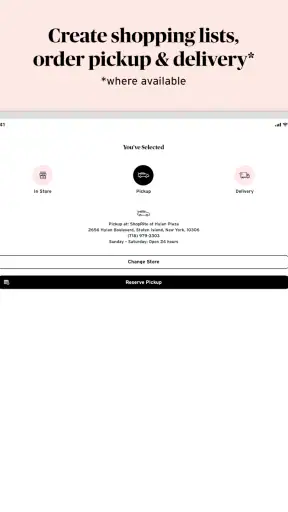

I came away from ShopRite: Groceries & Savings thinking of it less as a simple digital shelf and more as a planning tool for people who already shop at ShopRite. Its useful side appears before checkout: I can look through weekly savings, organize a list, and decide whether pickup or delivery makes more sense for a particular trip. That combination gives the app a clear purpose, especially when I want to avoid wandering through the store without a plan.
It is a free shopping app from Wakefern, aimed at Everyone, and it has built a substantial audience with a 4.7 average from around 113 thousand ratings and more than a million installs. Those figures suggest that it has become a familiar companion for regular ShopRite customers, but popularity does not remove the small points of friction that can make a grocery app feel awkward. In my experience, the best results come from treating it as part of a shopping routine rather than expecting it to solve every grocery decision automatically.
Where the experience can get stuck
The first hurdle is usually not finding a product; it is getting the app and the shopping trip aligned. A grocery app needs to know which ShopRite location matters to me, and a user who skips that early choice may find that deals, availability, pickup details, or delivery choices do not feel relevant. I would start by selecting the store I actually use, checking that the location remains selected, and only then building a serious order.
This matters because a weekly offer is only helpful when it applies to the store and shopping method I plan to use. A casual browse can be done quickly, but a full basket deserves a little preparation. If I am shopping for a family meal, I do not want to discover at the end that I built the list around a different store or that an offer needs to be added before I place an order. The practical lesson is simple: confirm the store before investing time in the list.
Another common sticking point is the difference between a shopping list and an online order. I see the list as a planning space, while pickup or delivery is the execution step. Keeping those purposes separate helps. I can note everything I expect to need, review the weekly savings, and then move into ordering when I am ready. If I treat every list entry as though it is already reserved in a cart, confusion is more likely.
Search can also create unrealistic expectations. Grocery names are not always consistent: a product may be easier to find by brand, type, size, or a broader word. When a precise search does not return what I expect, I try a shorter term and browse the related results instead of assuming the item is unavailable. That is a small but useful habit, particularly when I am shopping from a handwritten list with informal names.
The app is most comfortable for planned trips. It is less convincing when I am already in a hurry, standing in a store aisle, and trying to reconstruct an entire basket from memory. A list prepared at home gives the interface room to help me. A rushed session turns every missing item, offer, or substitution into a separate decision.
What I check before building a basket
I begin by making sure the app is the current version, which is listed as 26.5.0, and that the device meets its minimum operating requirement of iOS or Android 9. That does not guarantee a perfect session, but it removes two avoidable sources of trouble. If the app behaves strangely, I first close and reopen it, confirm the connection, and check that the selected store is still the intended one.
I also avoid building an important order while switching repeatedly between weak connections. A list may feel harmless, but online grocery work involves several stages, and an interrupted session can leave me unsure whether a change was saved. My safer routine is to make edits when the connection is stable, pause briefly after major changes, and revisit the list before moving to checkout.
Notifications and account prompts are worth handling calmly rather than tapping through without reading. The app’s value depends on keeping my shopping information organized, so I want to know which account I am using and whether I am returning to the same shopping context. If a list appears empty, I check whether I am signed into the expected account before recreating everything from scratch.
A useful setup check is to prepare a small trial list first. I add a few everyday items, review the weekly savings area, and see whether pickup or delivery presents the choices I need. This takes less time than assembling a large family order and discovering a problem at the final stage. It is especially sensible for a first-time user who wants to learn the app without risking a full weekly shop.
I would also decide in advance whether the app is mainly for savings, list management, or ordering. Those goals overlap, but they encourage different habits. Someone focused on discounts should review the weekly offers before planning meals. Someone focused on speed should create a repeatable list. Someone using pickup or delivery should leave enough time to review the order rather than treating the final screen as a formality.
Making the weekly routine more efficient
The strongest workflow I found is to start with the meals or household tasks that matter, then use the app to turn that plan into a list. I do not begin by opening every promotion and allowing the offers to dictate the entire shop. That approach can create a basket full of attractive extras. Instead, I use savings to refine a list I already understand.
For a typical weekend, I might think through breakfasts, a few dinners, snacks, and basic household needs. I add the essentials first, check the weekly deals for sensible replacements, and then remove anything that does not serve the plan. This makes the savings section useful without letting it become a source of impulse buying. The app works better for me when it supports a decision rather than making too many decisions on my behalf.
There is also a practical advantage to separating “must have” items from “nice to have” items in my own notes before I open the order. If I later need to reduce the basket, I know what can go first. This is more valuable than it sounds because grocery ordering can make a large list feel equally important. A little priority planning keeps the final review focused.
For pickup or delivery, I review the basket as if I were checking a paper receipt. I look at quantities, sizes, duplicate entries, and products that were added while browsing. I pay particular attention to items that have similar names, because a quick search can produce several versions of what I meant. The extra minute is worthwhile; online convenience is not much of a convenience if I must correct a careless order later.
One non-obvious use is preparing the list before I know whether I will shop in person or order remotely. The list remains useful in either case, and I can decide later based on time, transport, or the size of the trip. This makes the app more flexible than a tool used only at checkout. It also prevents me from rebuilding the same grocery plan simply because my schedule changed.
Recovering a workflow when something goes wrong
When an item, offer, or list change seems to disappear, I avoid repeating the action immediately. First I return to the relevant screen, refresh my view by leaving and reopening it, and check whether the change was simply slow to appear. If the issue remains, I verify the selected store and account before making another edit. Repeated taps can create duplicates, while repeated searches can make it harder to tell what actually happened.
If the app closes during list building, I reopen it and inspect the list before starting again. I would rather recover from the last visible state than assume the entire session was lost. For a larger order, I keep a simple offline note of the essential items until the basket is complete. That is not a criticism unique to ShopRite; it is a sensible safeguard whenever a grocery plan matters.
A useful recovery method is to divide a large basket into sections such as produce, pantry, chilled items, and household supplies. If the session becomes confusing, I can check one group at a time instead of trying to remember every item. This also makes it easier to spot a missing staple after returning to the app. The category structure comes from my own planning, but it gives the app’s list a clearer job.
When pickup or delivery is the goal, I do not leave the final review until the last possible moment. I check the order while I still have time to correct it, then revisit the confirmation details once more. If a choice looks different from what I expected, I first check the store and order context. A mismatch there may explain more than a temporary display problem.
For a user who cannot get a session working, the safest general sequence is modest: confirm the connection, close and reopen the app, check the account and store, and make sure the operating system is supported. If the problem affects only one action, I try a smaller test rather than rebuilding the whole order. These steps will not fix every issue, but they help distinguish a temporary app state from a broader problem.
When the app may not be the cause
Grocery information changes in the real world. Stock can move quickly, a store can have a different selection, and a deal can depend on the shopping context. If an item is missing or an offer does not behave as expected, it is tempting to blame the interface immediately. I get a better answer by checking the selected store, reading the offer details carefully, and considering whether I am using the app for in-store planning or for a pickup or delivery order.
The phone itself can also be the weak link. Limited storage, an older operating system, unstable connectivity, or aggressive background restrictions can make an otherwise usable app appear unreliable. Since the current version requires at least iOS or Android 9, I would check that basic compatibility before spending time changing account settings. Restarting the device and freeing a little space are reasonable general checks when several apps are misbehaving, not just this one.
There is a human factor too. If several people share a shopping account or device, a list may change for reasons that have nothing to do with a failed save. I prefer one person to own the final review, especially for a delivery or pickup order. Shared planning can still work, but it needs a clear handoff so that additions and removals are not made at cross-purposes.
The app is not the best answer for every grocery situation. If I am comparing many retailers for the lowest total price, a broader comparison tool may be more suitable. If I shop at several chains, ShopRite’s store-specific usefulness becomes less central. If I already know the shop will be a quick in-person visit, a paper note may be faster than opening an app, selecting a store, and organizing a basket.
On the other hand, people who regularly use ShopRite and want one place for weekly savings, shopping preparation, and remote ordering are the clearest audience. The app has a more practical role for repeat customers than for someone merely browsing grocery options. That distinction is important: its value comes from fitting into a ShopRite routine, not from being a universal grocery marketplace.
How it compares with simpler alternatives
A basic notes app can be quicker for a short list, and a paper list never needs a connection or an account. Those options are still better when I only need to remember three items. They do not, however, connect the list to ShopRite’s weekly savings or provide the same path toward pickup or delivery. The trade-off is convenience versus structure: the dedicated app asks for more setup but gives the list a closer relationship to the shopping trip.
A general grocery-list app may offer more flexible organization across multiple stores. That is attractive for a household that shops wherever an item is cheapest or most convenient. ShopRite’s app is narrower, but that focus can be a strength. I do not need to translate a general list into a ShopRite order as a separate step. For a loyal customer, fewer transitions may matter more than broad retailer support.
Compared with shopping entirely in person, the app is most useful before the trip. It helps me think through the basket, notice savings, and choose a fulfillment method. It does not eliminate the need for judgment. I still need to review quantities, confirm the store, and accept that the digital view is a planning aid rather than a guarantee that every real-world condition will remain unchanged.
The trade-off between pickup and delivery is also personal. Pickup can suit someone who wants an organized order without spending as long inside the store, while delivery may be more useful when travel is difficult or time is tight. I would choose based on the day rather than assuming one method is always superior. The app is valuable because it lets the same shopping plan support either decision.
Who should use it and who should skip it
I would recommend it to regular ShopRite shoppers who want to prepare before leaving home, keep a digital list, and use weekly savings with more intention. It is particularly helpful for household planners, parents managing a large basket, and anyone who prefers pickup or delivery to an unplanned store visit. The free price removes the main barrier to trying it, and the Everyone age rating makes it approachable for a broad household audience.
I would be more cautious if I rarely visit ShopRite, divide my shopping among many retailers, or dislike setting up store-specific shopping tools. In those cases, a general list may be easier to maintain. I would also skip it for a tiny, spontaneous purchase where opening a dedicated grocery app creates more work than it saves.
My experience suggests that patience during setup pays off. The app is not difficult because its purpose is unclear; it can feel difficult when the store, account, list, offers, and fulfillment choice are handled all at once. Taking those steps in order makes the workflow much easier to understand.
My practical verdict
ShopRite: Groceries & Savings is a focused shopping companion rather than a replacement for grocery judgment. I like it most when I prepare a list at home, use weekly savings to adjust that plan, and then decide whether pickup, delivery, or an in-store visit fits my schedule. Its biggest strength is the connection between planning and ShopRite ordering; its main weakness is that the experience depends on getting the store and shopping context right.
Wakefern has kept the app free, and its current 26.5.0 release supports the core routine I would expect from a ShopRite customer. The high average rating shows that many users find that routine worthwhile, but I would not choose it solely because of the rating. I would choose it because I shop at ShopRite often enough for a dedicated list, savings view, and ordering path to save real effort.
My final advice is to test it with a small list, confirm the store, and review the basket before relying on it for a major weekly shop. If that trial feels natural, the app can become a useful part of grocery planning. If the setup feels like unnecessary overhead or I need one tool for several retailers, a simpler or broader alternative will probably serve me better.


